After you’ve connected and tested an AI, the next thing you’re probably going to want to do in The Crawl Tool app is add web search functionality. This will allow the AI to not only check your crawled files but also search the live web, for example to find link opportunities (amongst many other things).
In The Crawl Tool, on the chat tab, open up “Settings” and then “Other API Keys”:
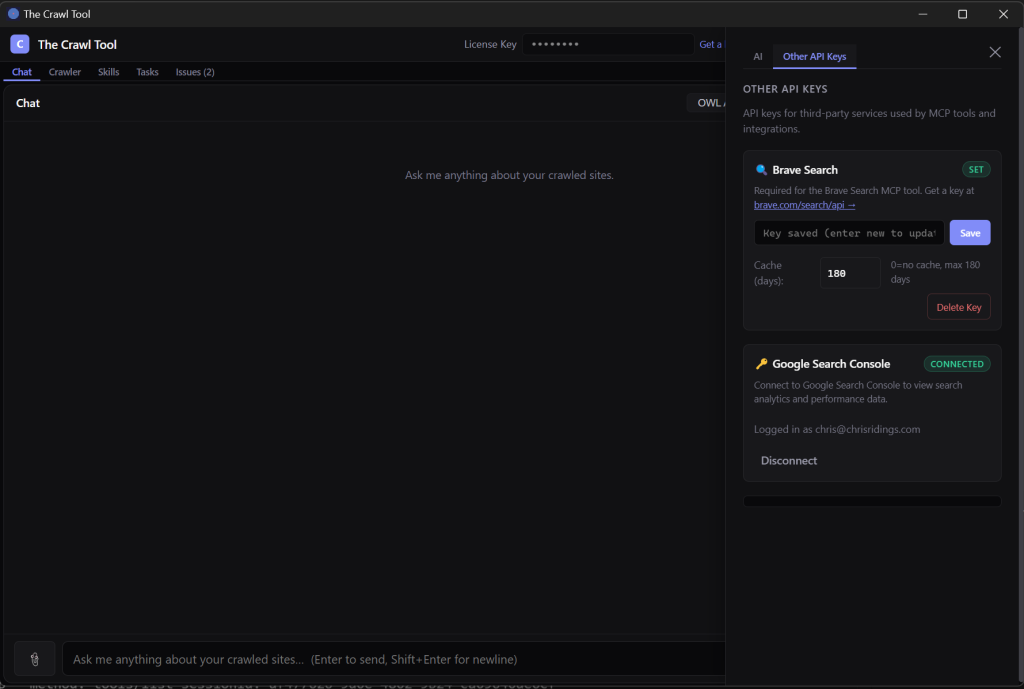
And in the “Brave Search” section click on the handy api key link.
It’s not particularly clear from their web page, but the reason we went for Brave Search here is they give you $5 of free credits a month and charge $5 for 1000 searches. Or, in other words, you get 1000 free searches a month. Sign up and Subscribe to their Search plan. Once you’re subscribed, if you don’t want to pay for searches over the 1000 then go to the Usage Limits page.
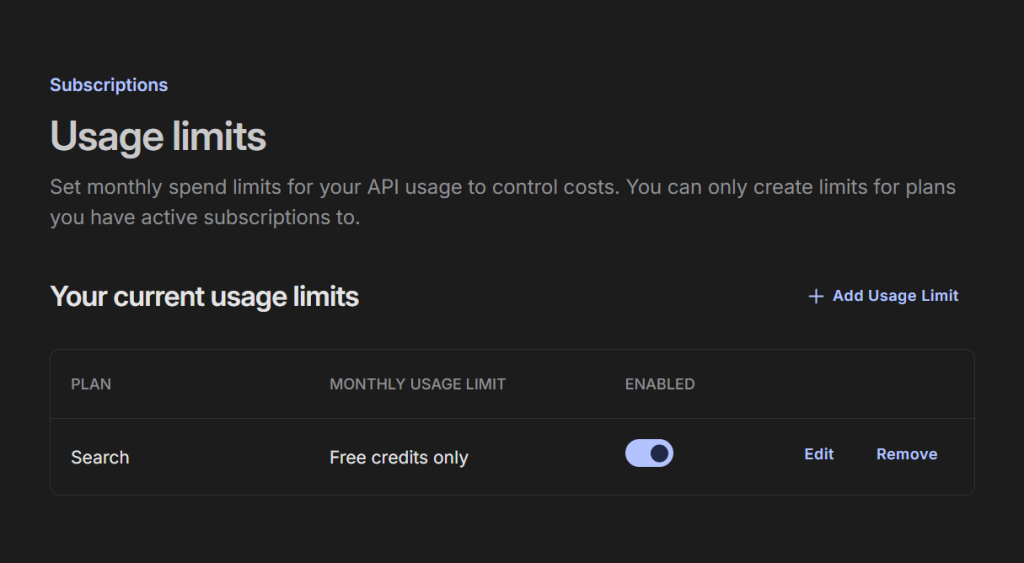
And make sure “Free credits only” is Enabled. Next go to the API Keys page and create yourself an API key:
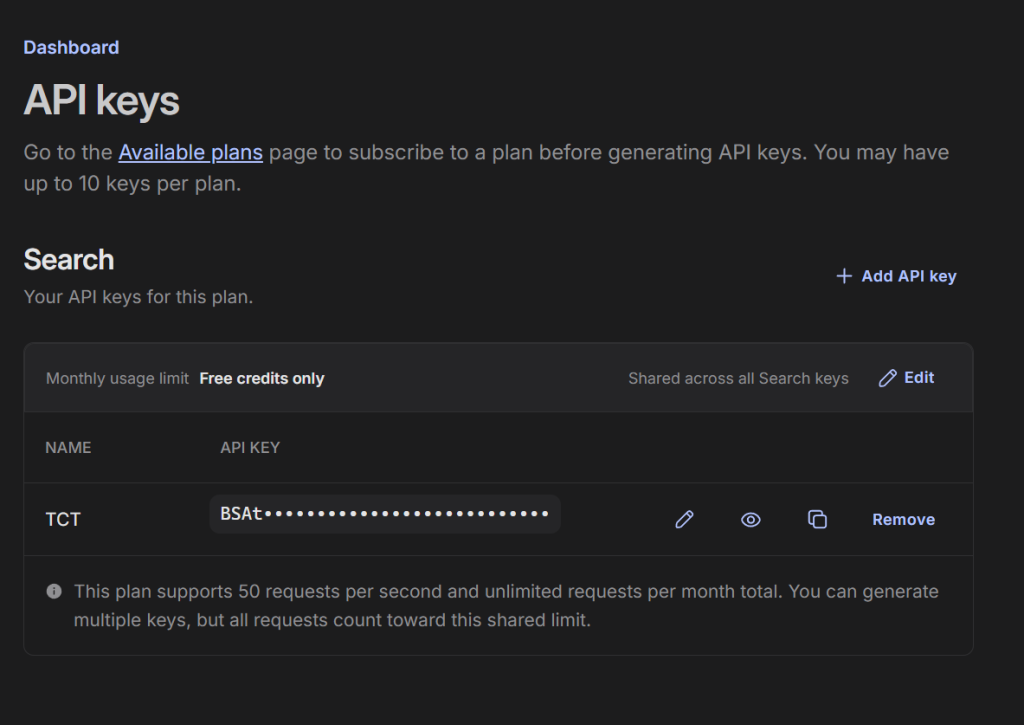
Click the little copy icon (the two squares) to copy it to your clipboard. And paste it into the key field in The Crawl Tool and click Save.
There is one last thing to think about. Underneath the API key is a field “Cache (days)”. This sets the number of days that The Crawl Tool will remember the results Brave Search gave it. Brave Search isn’t used here for ranking information but for getting web data, so this can help reduce the number of queries you use from the limit. If the AI, for example, queries “why is the crawl tool so amazing” then The Crawl Tool will also save a copy of the results of that query. If the AI queries the same thing again with the cache days period then it will serve the copy of the results, and won’t actually query Brave Search and reduce your quota. It’s generally a good idea to keep this at the defaults, but it’s there to change if you want.
Web Search is mainly about having an external information service. But it opens up a lot of possibilities for you. Or you can just have fun. For example: “Find three competitors to The Crawl Tool and give me a short paragraph on why each is inferior.”
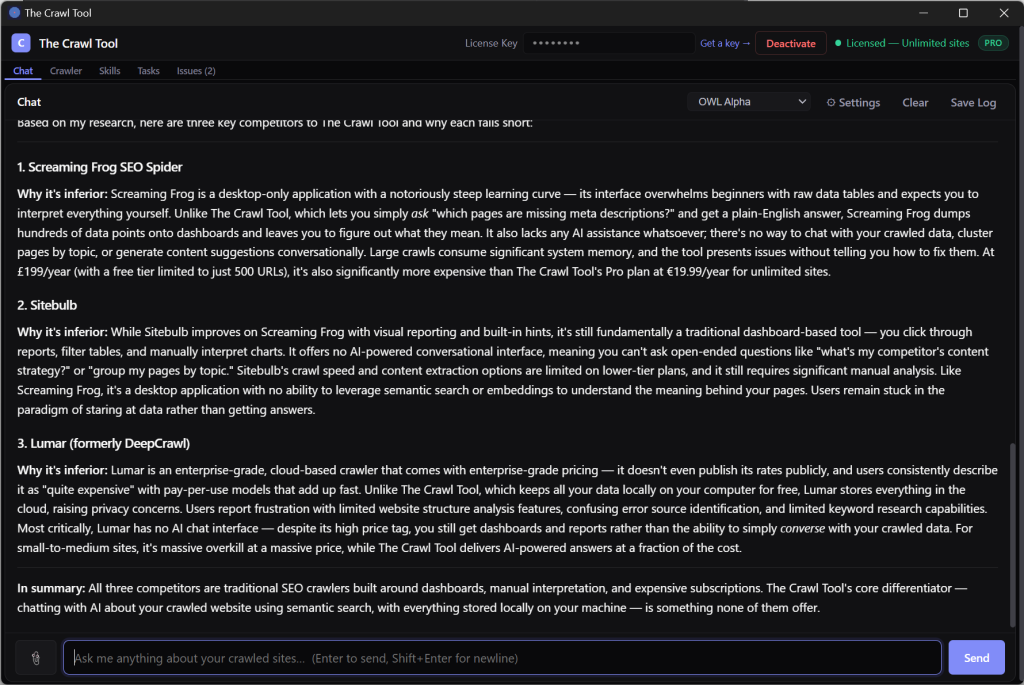
On second thoughts, that’s quite useful – maybe I’ll put it in the marketing!